Sometimes when people look over my shoulder, they ask ‘What are you using? It doesn’t look like iTerm2.’ 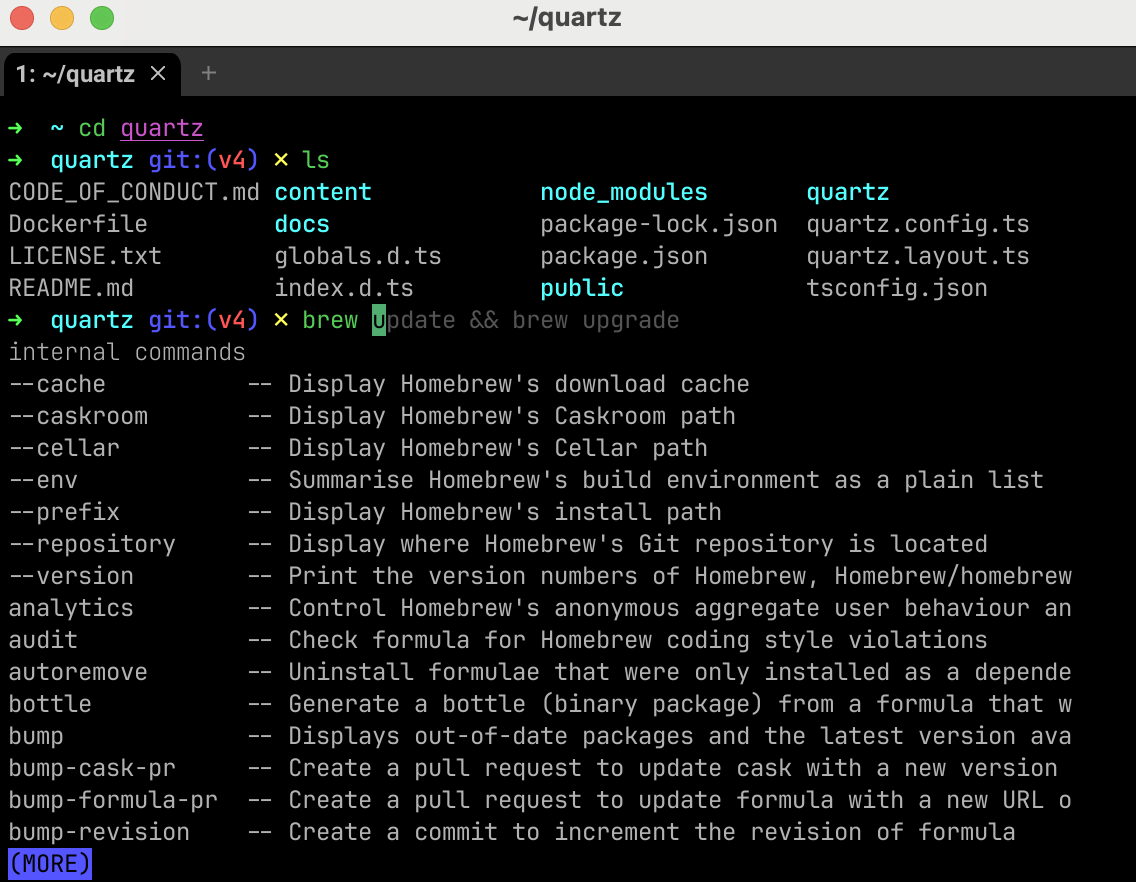 Here’s how I did it:
Install core
- Install brew and then ghostty via
brew install ghostty - Install zsh via
brew install zshand Oh My Zsh via curlsh -c "$(curl -fsSL https://raw.githubusercontent.com/ohmyzsh/ohmyzsh/master/tools/install.sh)" - Install auto theme switching
mkdir -p ~/.config/ghostty && echo 'theme = light:Everforest Light Med,dark:Everforest Dark Hard' > ~/.config/ghostty/config
Install plugins
- autosuggestions plugin
git clone https://github.com/zsh-users/zsh-autosuggestions.git $ZSH_CUSTOM/plugins/zsh-autosuggestions - zsh-syntax-highlighting plugin
git clone https://github.com/zsh-users/zsh-syntax-highlighting.git $ZSH_CUSTOM/plugins/zsh-syntax-highlighting - zsh-fast-syntax-highlighting plugin
git clone https://github.com/zdharma-continuum/fast-syntax-highlighting.git ${ZSH_CUSTOM:-$HOME/.oh-my-zsh/custom}/plugins/fast-syntax-highlighting - zsh-autocomplete plugin
git clone --depth 1 -- https://github.com/marlonrichert/zsh-autocomplete.git $ZSH_CUSTOM/plugins/zsh-autocomplete
Enable plugins by adding them to .zshrc
- Open .zshrc
nvim ~/.zshrc - Find the line which says
plugins=(git). - Replace that line with
plugins=(git zsh-autosuggestions zsh-syntax-highlighting fast-syntax-highlighting zsh-autocomplete)
Enjoy!